The change itself
The pull request’s diff, read through your organization’s GitHub App with read-only access.
AOSplaneProductCode review
AOSplane reviews your pull requests on GitHub as they open and change. Every finding is a comment on the line it’s about, saying what breaks and why, and each review ends in a verdict: approve, or request changes.
How a review runs
Reviews start on their own as pull requests open and change, in every repository you link. Each one is a GitHub review, so it lands where your team already reads code.
01
Opening one, marking it ready, reopening it or pushing to it starts a review. Pushes within a minute of each other make one review of the latest commit.
02
The diff, the AGENTS.md files that apply to it, and checks worked out without a model. It reads your code; it never runs it.
03
Each finding says what breaks, on the line where it breaks, and why: P1 if it should block the merge, P2 if it shouldn’t, with a suggested change when there is one.
04
A confidence score out of 5, a risk rating, and approve or request changes, posted as one GitHub review with an AOSplane review check on the commit.
What it reads
A review spends a model call, so AOSplane spends it on code. A change with nothing to review ends before the model runs and costs nothing.
The pull request’s diff, read through your organization’s GitHub App with read-only access.
The guidance that applies to the changed files. Where the change goes against it, the finding cites the rule; where it’s silent, nothing is made up.
Checks that run without a model look outside the diff for drift, like an rpc with no handler behind it, and hand the reviewer what they find as facts.
No charge
Documentation, renames that change no lines and version bumps end before the model runs. Changes to agent instructions, like AGENTS.md, are always reviewed.
No charge
A push that leaves the diff as it was last reviewed, like merging the base branch, is skipped. A new push gets a review of what it changed.
No charge
If the pull request merges, closes or gets a newer push while a review waits, the review stops before the model runs.
In the console
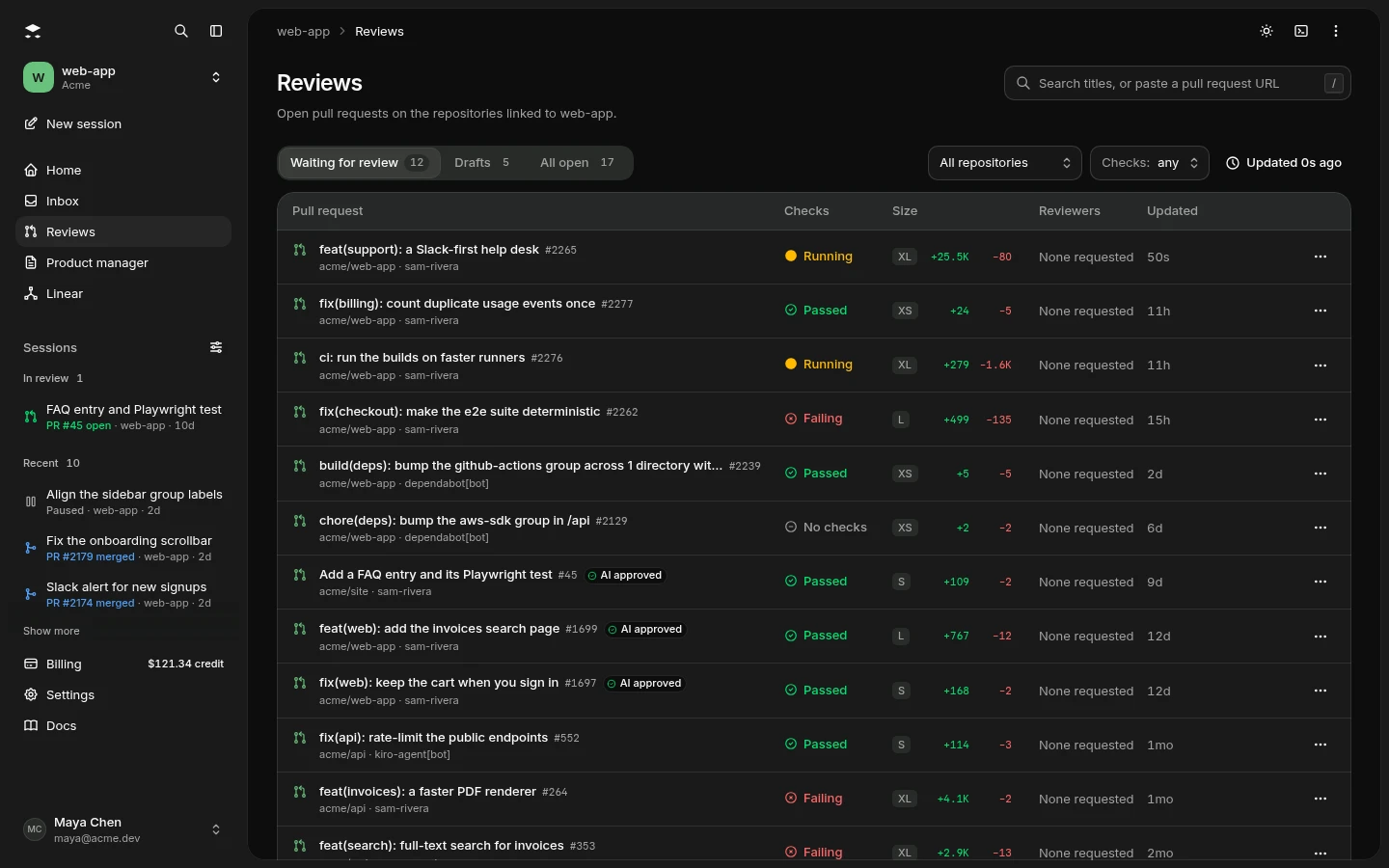
The Reviews page lists the open pull requests in a project’s repositories, with each one’s AI review, checks and size. Open one to read the changes, ask for a review, leave your own and merge.
Before and after the pull request
When a task runs with a plan, its work is reviewed before there’s a pull request to read. Once the pull request is ready for review, AOSplane reviews it on GitHub like any other.
Before there’s a pull request
Plans
The product manager, or your agent, writes what to build and how to prove it.
Builds
Your agent writes the change in its own sandbox.
Reviews
Reads the change against the plan and asks for changes where it falls short.
Proves
Runs your repository’s checks and the plan’s criteria.
Signs off
Approves the work, and a draft pull request opens.
A review or gate asking for changes, or a failing check, sends the work back to the engineer: up to 5 tries, 3 by default.
Once it’s ready for review
Reviews
Comments on the lines that break and gives a verdict, on GitHub.
Fixes
Starts a session that fixes them and pushes to the same branch.
Re-reads
Gets a review of what it changed. Threads it fixed are resolved.
Ships
From the console or on GitHub, when you’re ready.
An admin can have findings on agents’ pull requests fixed automatically. A person’s pull request is fixed only when someone asks.
Questions
Still curious? Email us and a person will answer.
A pull request opening, being marked ready for review, reopening or getting a new push. Pushes within a minute of each other make one review of the latest commit. A member can also ask: choose AI review on the pull request in the console, or add the aosplane-review label on GitHub. By default, drafts wait until they’re marked ready, unless someone asks.
No. Your coding agents run on your own AI account, but AOSplane runs the reviewer itself, so reviews count against your plan’s monthly reviews rather than your AI bill.
Every plan includes reviews each month, the free plan too, and reviews that are skipped or don’t finish cost nothing. Past the month’s reviews, a larger pull request costs more than a small one, and reviews can pay from your balance up to a monthly cap, or pause with a comment on the pull request saying why.
Not on its own. A review reads code and posts comments; it never pushes. To have its findings fixed, choose Fix findings in the console: a session fixes them on the same branch, and that push is reviewed in turn. On pull requests your agents opened, an admin can make the fixing automatic.
No. A new push gets a review of what it changed, and a finding already posted isn’t posted again. When a finding is fixed, its thread is resolved; when it’s still there after its lines change, the review replies in the same thread. By default, one pull request gets at most 5 automatic reviews a day.
From your AGENTS.md. The reviewer reads the AGENTS.md guidance that applies to the changed files, and where the change goes against it, the finding cites the rule. Where your guidance is silent, it doesn’t invent rules of its own.
The rest of the team
Get started
Connect GitHub and link a repository, and reviews start with your next pull request. Every plan includes reviews each month, the free plan too.
Read the quickstart