AOSplaneProductProduct manager
Approve the plan. Then agents build it.
Describe the problem. Your product manager reads the code, issues and docs, and writes a Spec with acceptance criteria, each with the check that proves it. Your agent starts building only when you approve it.
Specacme/apiExample
Add rate limits to the public API
Spec by your Product Manager
Problem
One client’s retries can slow the public API for everyone. Nothing limits how often a key can call it.
Goal
Each API key gets 120 requests a minute. Past that, it’s told when to try again.
Acceptance criteria 3
- AC-1
The 121st request in a minute gets a 429.
pnpm test rate-limit -t "429" - AC-2
Requests under the limit pass through unchanged.
pnpm test rate-limit -t "under" - AC-3
Each API key is counted on its own.
pnpm test rate-limit -t "per key"
Reading the code and issuesLevel: Spec
- Brief and Spec on Free
- Built only once approved
- A check for each criterion
Plan first
Plan first.
Problem to proven pull request.
Choose it when you start a session. Once you approve the Spec, your agent builds it, and review and QA send it back until it passes, up to the number of tries you set.
01You
Describe the problem
Start a session in the console, choose Plan first under When to start, and say what’s wrong in your own words.
02Product manager
It writes a Spec
It searches the repository, reads the issues and your docs, then writes the problem, the goal and acceptance criteria, each with a check.
03You
You approve it
Approve it in the console, or request changes with a comment and it writes a new revision, up to five times.
04Your agent
Your agent builds it
The session’s agent, like Claude Code or Codex, writes the change in a private sandbox with the approved Spec as its brief.
05Review · QA
Review and QA prove it
After review, QA runs your checks and each criterion’s command. Failures go back to the agent; once all pass, a draft pull request opens.
Levels
Brief, Spec, PRD or Discovery.
As deep as the task needs.
Spec is the default. The product manager may suggest a deeper level, but only you switch, and deeper costs more: a Spec is twice a Brief, a PRD four times and a Discovery eight.
Brief
Brief by your Associate PM
The problem, the goal and acceptance criteria, each with a proposed check.
1× the price of a Brief
Spec
Spec by your Product Manager
A Brief plus user paths, edge cases, the code it touches, linked issues and sources.
2× the price of a Brief
PRD
PRD by your Senior PM
A Spec plus non-goals, risks, dependencies, migration and rollout, metrics and open questions.
4× the price of a Brief
Discovery
Discovery by your Product Researcher
Sourced research: evidence, past decisions, how others solve it, options and a recommendation. Then it offers to write the Spec or PRD.
8× the price of a Brief
The console
In the console.
Talk it through. Then build it.
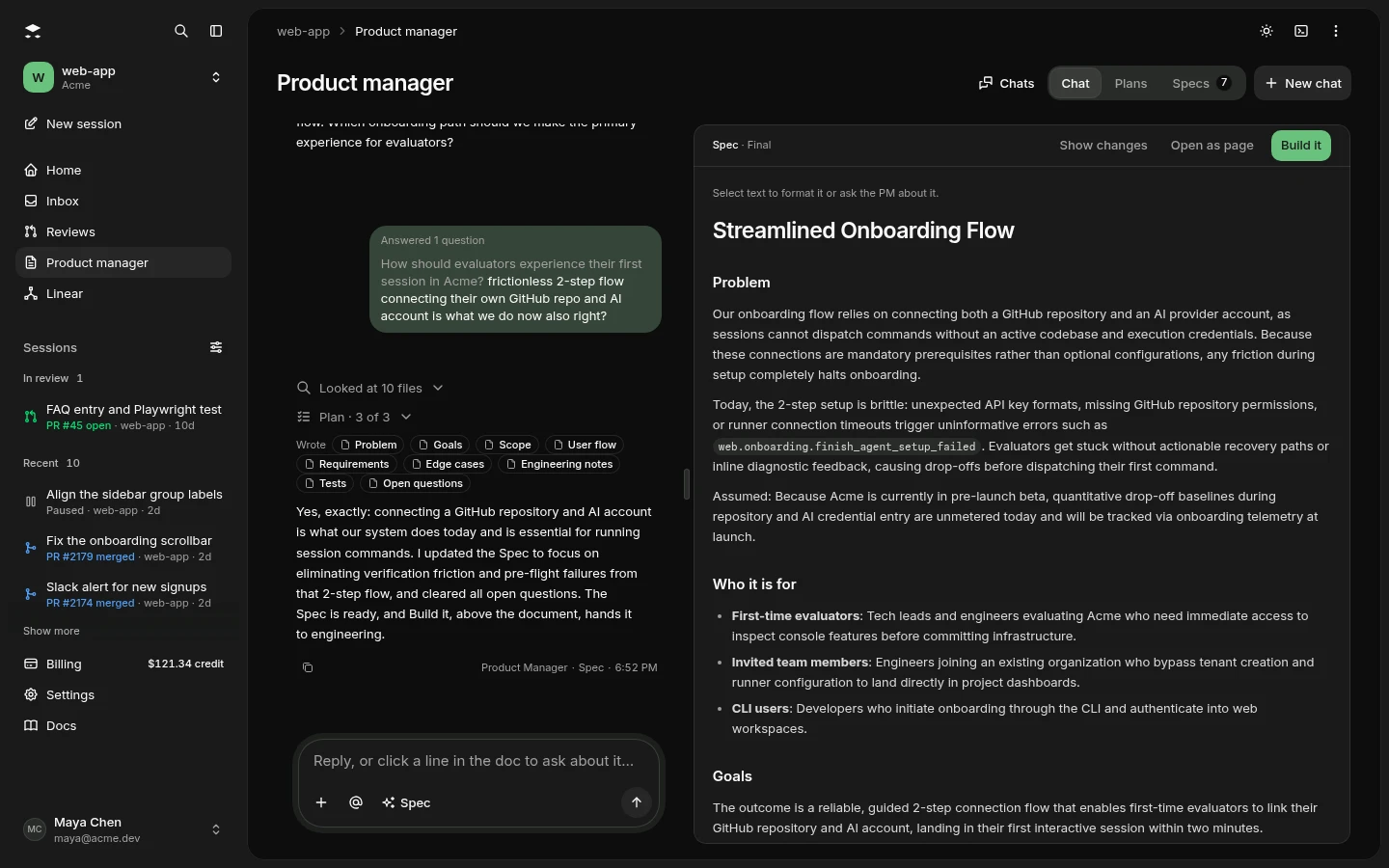
Chat with your product manager about a problem. It reads the code, asks what it needs to know and writes the Spec beside the conversation. Build it hands the Spec to an agent.
Questions
Questions.
Good to know.
Still curious? Email us and a person will answer.
Which plans include the product manager?
All of them. Free includes Brief and Spec, Starter adds PRD and Team adds Discovery. Each plan comes with product manager specs every month: 10 on Free, 50 on Starter and 200 on Team.
What happens after my monthly specs?
Free stops until the allowance resets. Starter and Team pay from their credit balance, priced by level, and Enterprise is invoiced. A reply that doesn’t produce a valid spec is never charged.
What can it read?
Code search across the project’s GitHub repositories, the issues in them, and your knowledge base on Starter and up. Every tool it has only reads.
Where do I approve a plan?
On the product manager’s Plans tab or from your Needs you inbox, and in Slack on Starter and up as Slack rolls out. The Plans tab keeps every decision with who made it, their comment and a diff between revisions. A plan nobody decides on expires after 24 hours and the run ends.
Does Plan first work with any repository?
It needs the repository’s QA checks, because QA runs them on every try. Without them, the console shows Plan first switched off with a link to add them in Repository setup.
Can I use it without building anything?
Yes. Ask for a Brief, Spec, PRD or Discovery on the Product manager page and revise it in plain words, like “add an edge case for offline mode”.
The rest of the team
Bring your agents.
We bring the rest of the team.
Planning is where it starts. Code review and QA see the work through to a proven pull request.
Get started
Bring the problem.
We’ll write the Spec.
Brief and Spec come with the free plan. Connect your AI account, pick a repository with QA checks and start a session with Plan first.
Read the quickstart